
Last Updated: November 3, 2026
Quick Summary
A payroll automation implementation timeline runs through five phases: discovery, configuration, data migration, testing, and rollout. Small teams of 10-49 employees typically need 8-12 weeks, mid-sized companies 12-20 weeks, and complex or multi-entity organizations 20-30 weeks.
- Discovery and requirements usually take 2-4 weeks to audit your current process and define needs.
- Configuration covers tax, pay rules, and benefits setup and runs 3-6 weeks.
- Run at least one full parallel payroll cycle, and two cycles catch far more errors.
- Dirty employee data found late during migration typically adds two to four weeks.
- Each additional pay frequency commonly adds one to two weeks of configuration and one extra parallel cycle.
Table of Contents
- What a Payroll Automation Implementation Timeline Actually Covers
- How Long Payroll Automation Implementation Takes by Company Size
- Payroll Automation Implementation Steps, Phase by Phase
- Your Payroll System Implementation Checklist and Decision Points
- Payroll Automation Testing and Parallel Run Before Go-Live
- The Payroll Processing Timeline After Automation Goes Live
- Causes of Delays and How to Prevent Them
- Get a Free Needs Assessment Before You Build Your Timeline
- Frequently Asked Questions
What a Payroll Automation Implementation Timeline Actually Covers
A payroll automation implementation timeline is the phased schedule a company follows to move payroll processing from manual or legacy methods onto an automated system, from requirements gathering through go-live and stabilization. Mapping that schedule before committing to any vendor helps business owners avoid delays, which often trace back to planning gaps rather than software limitations. Readers weighing whether to automate internally or outsource can compare both paths before committing to a timeline. A realistic plan covers five phases: discovery, configuration, data migration, testing, and rollout. Skipping or compressing any one of them is the fastest way to a payroll error on a live check run. (Source: the U.S. Bureau of Labor Statistics)
Most guides treat the timeline as a single number. That framing fails because the work inside each phase varies enormously by complexity. Below, we break down what each phase involves, how long it takes at different company sizes, and where implementations go sideways.
The Five Phases at a Glance
| Phase | Typical Duration | Core Work |
|---|---|---|
| Discovery and requirements | 2-4 weeks | Audit current process, define needs |
| Configuration | 3-6 weeks | Set up tax, pay rules, benefits |
| Data migration | 2-4 weeks | Clean and load employee records |
| Testing and parallel run | 2-6 weeks | Validate against live payroll |
| Go-live and stabilization | 2-4 weeks | Cutover, monitor, fix issues |
How Long Payroll Automation Implementation Takes by Company Size
Total implementation for a small team of 10-49 employees commonly runs 8-12 weeks. Small-team readers can review the benefits of automated payroll for small teams to gauge the realistic scope for their size of company. Mid-sized companies with multiple pay cycles or locations should plan 12-20 weeks. Organizations with multi-state operations, union rules, or complex benefits sit at the long end, sometimes stretching past a full quarter. Multi-entity rollouts, where separate legal entities, FEINs, or acquired payrolls must be consolidated, routinely run 20-30 weeks and are best staged entity by entity rather than launched all at once.
Those ranges only help if you know where the weeks land. The table below distributes a realistic schedule across the five phases for three complexity tiers. Treat the durations as planning ranges, not commitments; the dependencies between phases matter more than the raw numbers.
| Phase | Small (10-49 employees, one state, one pay frequency) | Midmarket (50-499 employees, 2-5 states, multiple pay frequencies) | Complex or multi-entity (500+ employees, multi-state, unions, acquisitions) |
|---|---|---|---|
| Discovery and requirements | 2-3 weeks | 3-4 weeks | 4-6 weeks |
| Configuration | 3-4 weeks | 4-6 weeks | 6-10 weeks |
| Data migration | 2-3 weeks | 3-4 weeks | 4-6 weeks |
| Testing and parallel run | 2-3 weeks | 4-6 weeks | 6-8 weeks |
| Go-live and stabilization | 2-3 weeks | 3-4 weeks | 4-6 weeks |
| Total elapsed | 8-12 weeks | 12-20 weeks | 20-30 weeks |
Elapsed time is generally longer than the sum of phase durations because phases overlap and approval gates add calendar days. Configuration can begin on pay rules while data migration is still cleaning records, but testing cannot start until both are signed off.
Why Complexity Matters More Than Headcount
Headcount is a weak predictor of timeline. A 40-person construction firm with certified payroll requirements and high workers’ comp complexity will take longer than a 120-person professional services firm with straightforward salaried staff. The variables that actually move the schedule are the number of pay frequencies, state tax registrations, benefit plan structures, and whether time and attendance data must integrate.
The complexity drivers that most often add weeks are worth naming individually:
- Pay frequencies. Each additional frequency (weekly, biweekly, semimonthly, monthly) multiplies the pay rule and testing combinations. Moving from one frequency to two commonly adds one to two weeks of configuration and one extra parallel cycle.
- State and local tax registrations. Every state where you have employees needs an active withholding account and correct unemployment insurance registration before the first live run. Missing registrations are discovered during testing, not before.
- Benefit plan structures. Multiple medical plans, HSA and FSA administration, garnishments, and retirement match rules each carry their own deduction and eligibility logic that must be configured and tested.
- Time and attendance integration. If hours flow from a timekeeping system, the integration must be built and validated in a sandbox before parallel runs. Assumed integrations are a leading cause of schedule slip.
- Multi-entity and acquisition history. Separate FEINs, acquired payroll histories, and differing benefit plans across entities usually force a staged rollout, with each entity carrying its own discovery and testing cycle.
A practical way to size your own schedule is to start from the tier closest to your profile, then add weeks for each driver above that applies.
Payroll Automation Implementation Steps, Phase by Phase
Implementation proceeds through five sequential phases, each gated by a sign-off before the next begins. Discovery maps your current payroll process, including every manual data entry point and approval. Configuration translates those findings into system settings: tax calculations, deduction codes, pay rules, and benefits administration logic. Data migration moves employee records and historical payroll data into the new system after a quality review. Testing validates accuracy through parallel payroll runs. Rollout cuts the switch and monitors the first live cycles.
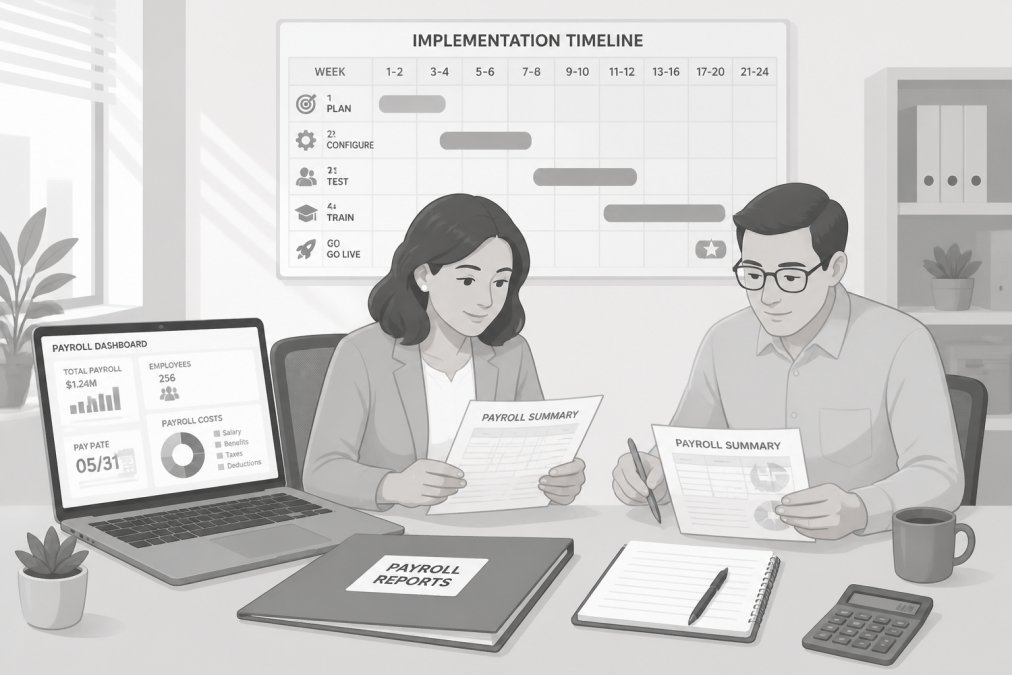
Reviewing payroll reports against the implementation calendar helps teams spot timing dependencies early, a discipline that also shapes outsourced accounting implementation.
The configuration phase is where requirements gathering pays off. If discovery produced a clean process map, configuration is mechanical. If it didn’t, you’ll discover missing pay rules during testing, which is the most expensive place to find them. Some companies skip the in-house build entirely and work with a professional employer organization (PEO) instead. Readers in the build phase can see how a PEO handles your company’s payroll as an alternative to doing it all in-house.
Your Payroll System Implementation Checklist and Decision Points
A payroll system implementation checklist keeps the project honest. Use it to confirm readiness before each phase gate:
- Current payroll process mapped, including every manual handoff
- Employee data audited for completeness and accuracy
- Historical payroll records identified and formatted for migration
- State tax registrations confirmed and current
- Benefits plan structures documented for configuration
- Time and attendance integration requirements defined
- Testing plan approved, including parallel run scope
- Employee communication drafted for the change
- Rollback plan documented in case go-live fails
Each unchecked box is a decision point. Do not advance to configuration until data quality is confirmed, and do not schedule go-live until testing sign-off is complete.
Payroll Automation Testing and Parallel Run Before Go-Live
Testing is the phase most often compressed, and the one that most often causes post-launch errors. A parallel run means processing at least one full payroll cycle in both the old system and the new one, then reconciling the results line by line. One cycle is the minimum. Two cycles, including a month with overtime or a bonus run, catches far more. Before go-live, confirm that payroll software integrates cleanly with your accounting platform, and verify the data mapping during testing. Guidance on integrating payroll software with accounting platforms helps readers plan this before go-live.
Watch out: skipping the parallel run to save time can lead to errors on the first paycheck, and correcting a live payroll error can take longer than the run would have.
The Payroll Processing Timeline After Automation Goes Live
Once live, the payroll processing timeline compresses but does not disappear. A typical automated cycle runs: time data collected and approved by the first cutoff, payroll calculated and reviewed by the second, funds and filings submitted by the third, and pay delivered on schedule. Most of the manual data entry vanishes, which is where accuracy gains come from. The first two or three cycles after go-live still need close review; treat them as extended stabilization, not business as usual.
Causes of Delays and How to Prevent Them
Delays cluster around a small number of recurring causes, and each one has a recognizable early warning sign. The point of naming them is not to assign blame but to build the mitigation into the schedule before the project starts.
Integrations that were assumed rather than tested. Teams often assume the timekeeping, accounting, and benefits systems will connect cleanly because the vendor says they will. In practice, field mapping, timing of data feeds, and error handling all need to be validated in a sandbox.
Tax registration gaps. Companies that hired in new states during the prior year frequently lack active withholding or unemployment accounts in those states. The new system cannot calculate or file correctly without them, and registration can take weeks depending on the state.
Unclear ownership of approvals. Every phase gate needs a named approver with the authority to sign off. When approval is diffuse, sign-offs stall and downstream work waits.
Scope changes after configuration begins. Adding a pay group, a new benefit plan, or an acquired entity after configuration is underway forces rework in every downstream phase.
Regulatory compliance requirements should be verified against official sources such as the IRS employer tax guidance rather than assumed from the old system’s settings.
Get a Free Needs Assessment Before You Build Your Timeline
A structured needs assessment, reviewing your current payroll process, headcount, states, benefit structures, and compliance exposure, is a useful way to size your timeline. NetPEO offers a needs assessment at no cost and connects clients with top-rated providers. Readers ready to act can explore payroll outsourcing companies and request a free consultation. Call us today to schedule your assessment.
Frequently Asked Questions
How long does payroll automation implementation take?
Implementation timelines vary with company size, data quality, and payroll complexity. Clean employee data and a standard payroll setup generally shorten the process, while multiple locations, union rules, or several systems to integrate tend to lengthen it. The biggest variable is not the software itself but how long it takes to consolidate employee data, map your current payroll process, and complete a parallel run before go-live.
What should businesses test before their first automated payroll run?
Test four things before the first live run: gross-to-net calculations for every pay type, tax withholding for each work location, overtime and shift differentials, and deduction and benefits setup. Then run the payroll automation testing and parallel run against your last two or three payroll cycles and compare totals line by line. Any variance in employee net pay should be explained before you cut over, not after.
Can payroll automation integrate with HR and accounting software?
Yes, most payroll systems connect to HRIS platforms, time and attendance tools, and accounting software through built-in integrations or file imports. The integration work is usually where implementation timelines slip, because employee data has to map cleanly between systems. Confirm during requirements gathering which integrations are native, which need middleware, and who owns the data mapping on your side.
How can a company reduce disruption during payroll system implementation?
Keep your existing payroll running until the parallel run confirms the new system matches. Name one internal project lead who owns employee data and approvals, and set a change freeze on unrelated HR changes during the final two weeks before go-live. Communicate the change to employees early, explain what stays the same about pay dates and deductions, and hold a stabilization window of one to two pay cycles where the vendor supports each run.
The timeline question has a real answer, but it starts with your own process, not a vendor’s sales deck. NetPEO conducts a free needs assessment, matches you with providers that fit your size and industry, and helps you reduce compliance liability while freeing your team to focus on the business. Get started with NetPEO and build a payroll timeline grounded in how your company actually operates.
